In WaterfallOne, distributions are immutable records once created. If a distribution contains an error (wrong amount, incorrect allocation percentages, or wrong effective date), you don't edit it. Instead, you void the distribution, which reverses its effects and creates an audit trail entry. You can then create a replacement distribution with the corrected details.
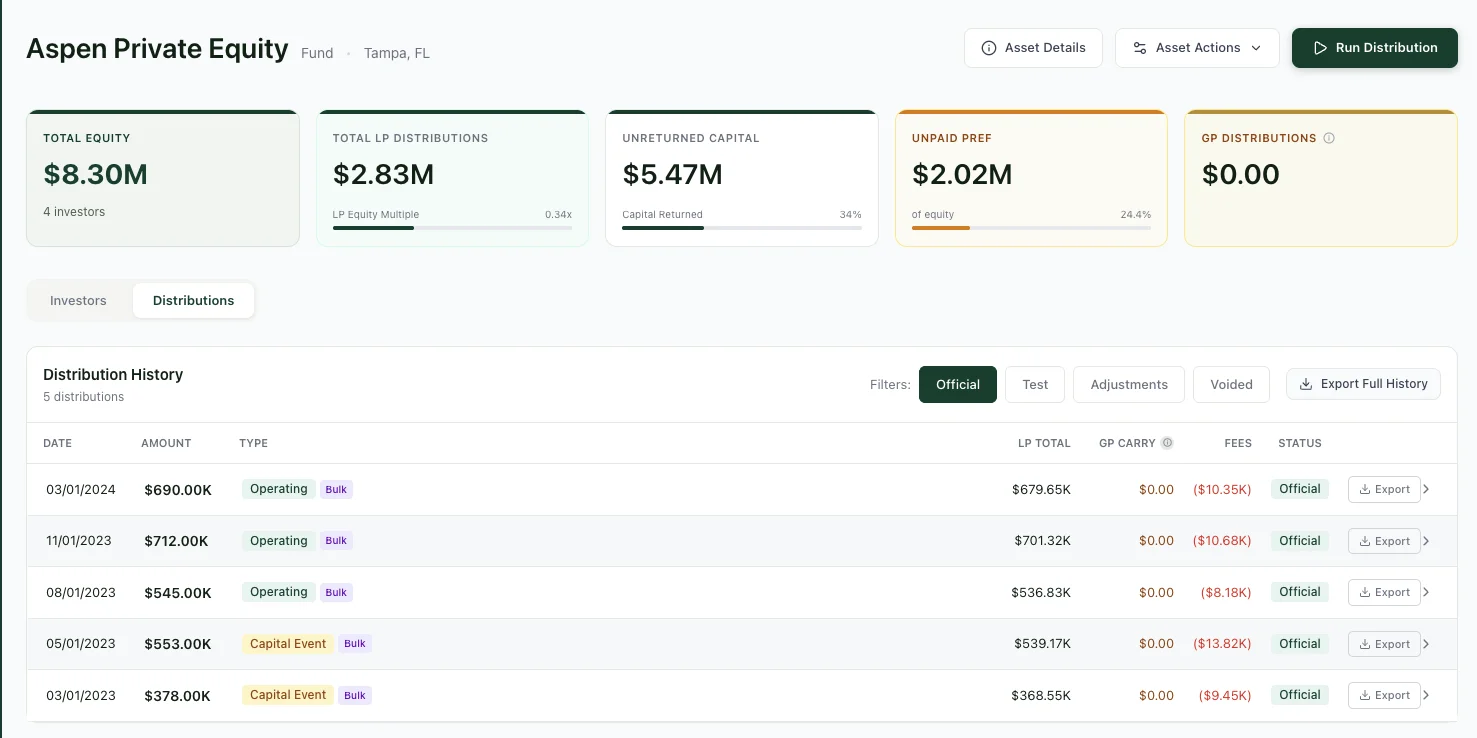
The asset detail page with Distribution History. Every distribution is logged with its date, amount, type, and status.
Why Void Instead of Edit?
WaterfallOne treats distributions as immutable events in your asset's financial history. Each distribution is a permanent record of money paid to investors on a specific date. Editing a distribution retroactively would change the historical record, making audits and investor statements unreliable. Voiding preserves the original distribution and creates a clear audit trail showing what was reversed and when. This approach ensures your asset's waterfall calculations remain transparent and defensible.
When to Void a Distribution
You should void a distribution if:
- Wrong amount: You distributed $500K but meant to distribute $450K
- Wrong date: The distribution was dated March 1 but should have been March 15
- Wrong allocations: The preferred and common equity percentages are incorrect
- Wrong investor subset: You paid Class A and Class B but only Class A should have received it
- Accidental duplicate: The distribution was recorded twice by mistake
How to Void a Distribution
- Open the asset and go to the Distributions tab
- Find the distribution you need to void in the list
- Expand the distribution row to see its full details
- Click the Void Distribution button
- Enter a reason for the void (e.g., "Incorrect amount, should be $450K not $500K")
- Check the acknowledgment checkbox confirming the action is irreversible, then confirm. The distribution will be marked as voided in the system
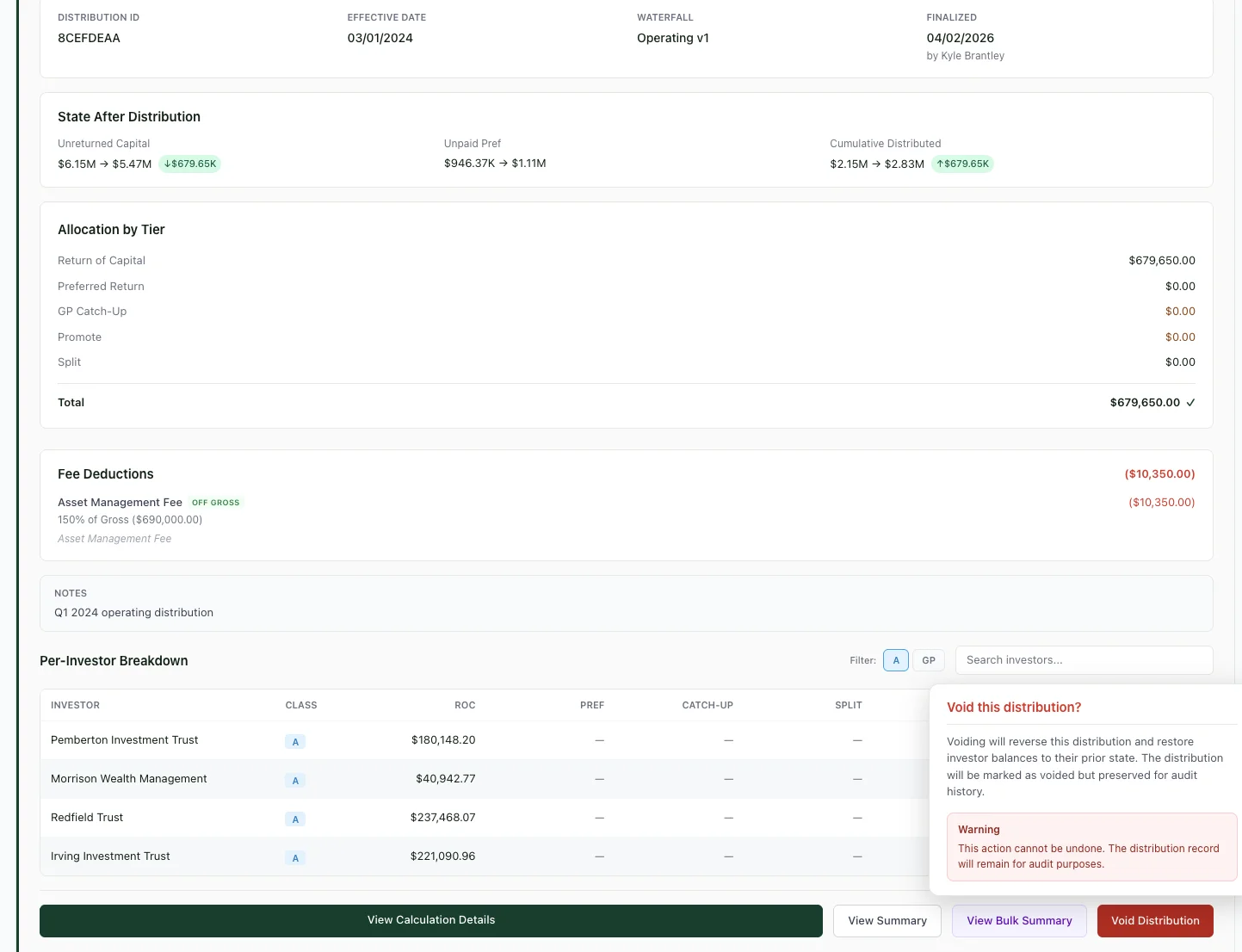
Expand any distribution to see its full breakdown. Click Void Distribution to start the process.
What Happens When You Void
When you void a distribution, WaterfallOne immediately:
- Reverses investor balances: All capital returns, preferred distributions, and other payments from the voided distribution are reversed as if they never occurred
- Creates a void record: A new immutable void event is recorded with
voided_by(user who voided it),voided_at(timestamp), andvoid_reason(your explanation) - Updates the waterfall: All downstream waterfall calculations recalculate based on the updated investor balances
- Preserves both records: The original distribution and the void record remain in your audit trail. Nothing is deleted
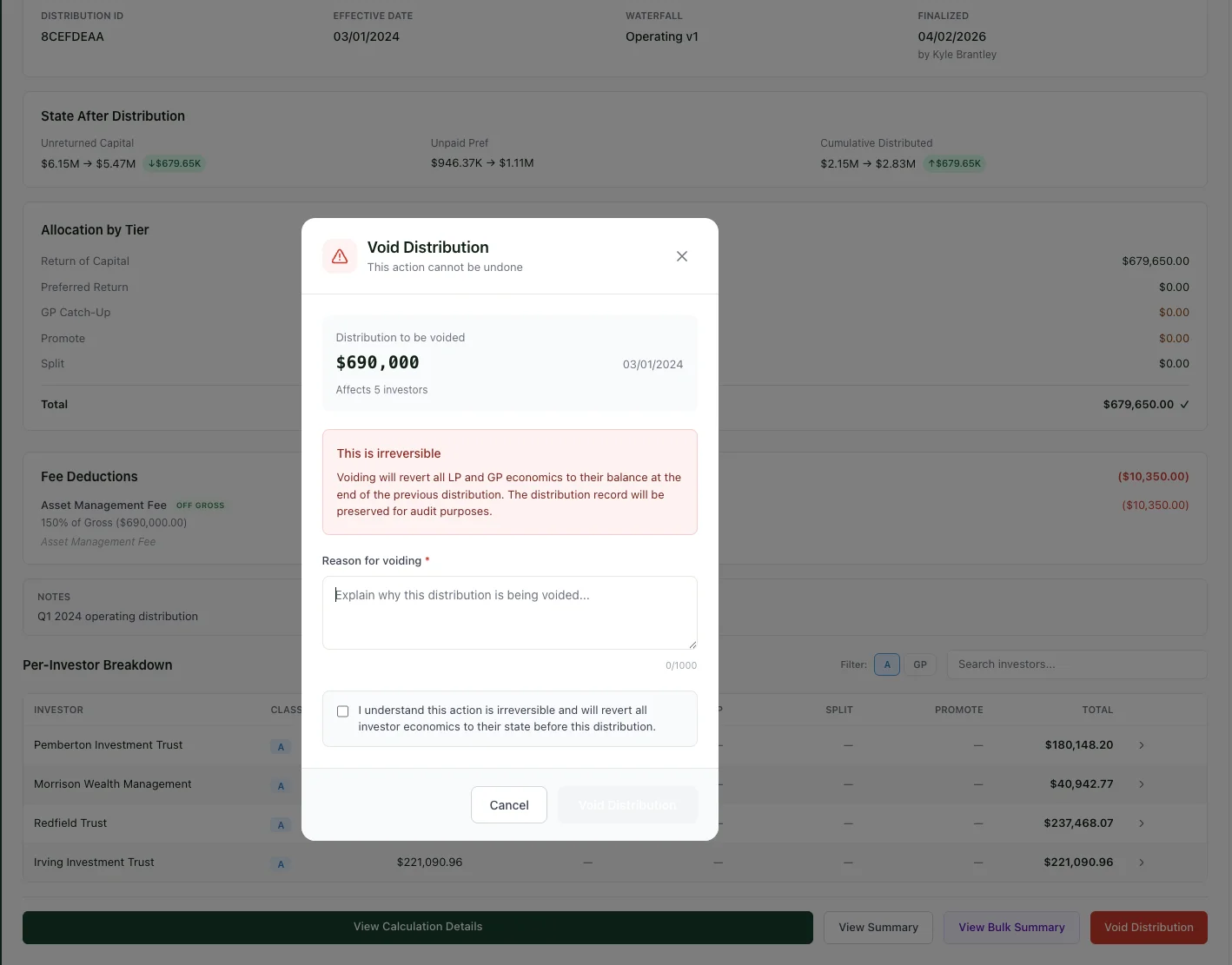
The void confirmation. Enter a reason and acknowledge that the action is irreversible.
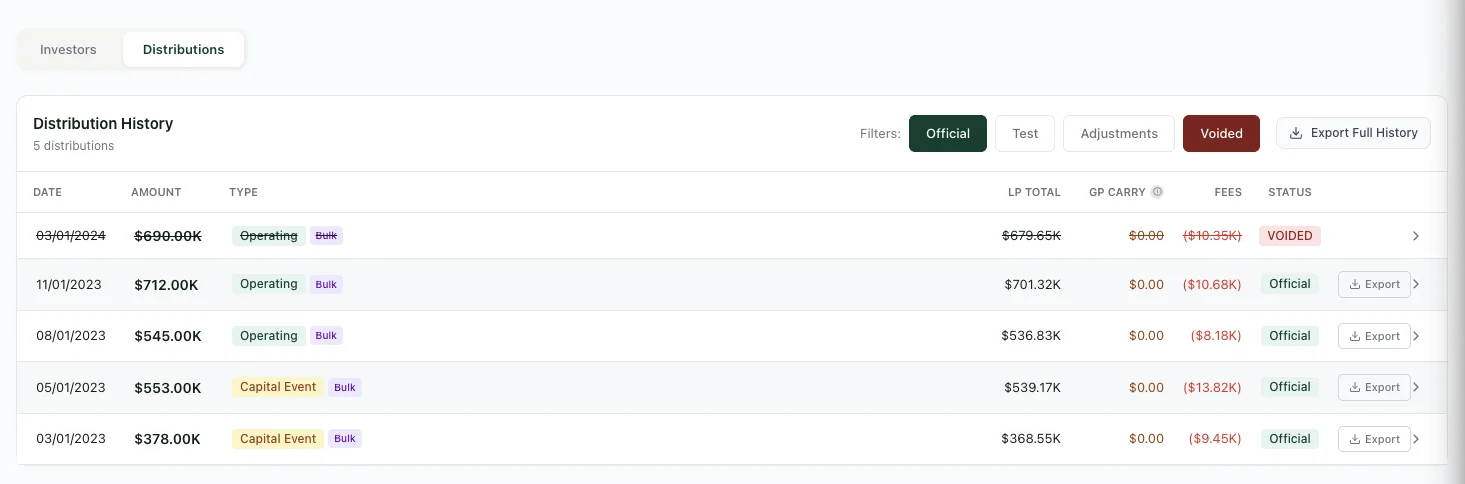
After voiding, the distribution stays in your history with a clear VOIDED badge. Nothing is deleted.
Timeline Integrity Constraint
WaterfallOne enforces a timeline integrity rule: you can only void the most recent distribution. If you try to void an older distribution while newer ones exist after it, the system will prevent the void. This prevents scenarios where voiding an earlier distribution would require recalculating all subsequent distributions. If you need to void an older distribution, you must first void all distributions that came after it (in reverse chronological order), then void the target distribution, then recreate any voided distributions that should be restored.
Bulk Void
If you ran a bulk distribution batch and need to void all of them at once, use the bulk void feature. Navigate to the batch in your distribution history, select it, and choose Void All Distributions in Batch. This voids every distribution in that batch in a single action, maintaining the timeline integrity constraint. You can then create corrected individual or bulk distributions.
After Voiding: Create a Replacement
Once you've voided a distribution, create a new distribution with the corrected details. The original and voided amounts will appear in your audit trail, and the new distribution will be calculated correctly going forward. Investor statements will reflect the correction transparently, showing the voided distribution and the replacement.
Ready to try it?
Start free. No credit card required.